

What it is
Every account brings three things together:- An AI chat with market tools. Ask about prices, funding rates, prediction market odds or your own balances. When you ask for a trade, the agent prepares it and waits for you to confirm.
- A self-custodial wallet. An embedded wallet, powered by Privy, is created when you sign up. It has one EVM address that works on every EVM chain, plus one Solana address. You can export the keys at any time.
- A builder. Build mode turns a prompt into a running app with a live preview, and ships it to your own GitHub and Vercel accounts.
Every trade needs your confirmation, and nothing in OpenFinance or in these docs is financial advice. AI models can be wrong, so check what they tell you before you act on it.
Who it is for
- Traders who want to research and place trades across venues from one chat, instead of one dashboard per venue.
- Builders who want a trading bot, dashboard or token site without setting up a project by hand.
- People who already use Claude, ChatGPT or Cursor and want those tools to reach markets through their OpenFinance account.
The surfaces
After you sign in, the left sidebar groups everything into three sections, with your recent sessions underneath.
Two more places are worth knowing: the Deposit button and account menu in the top bar (see Settings and account), and the public Live Transactions page.
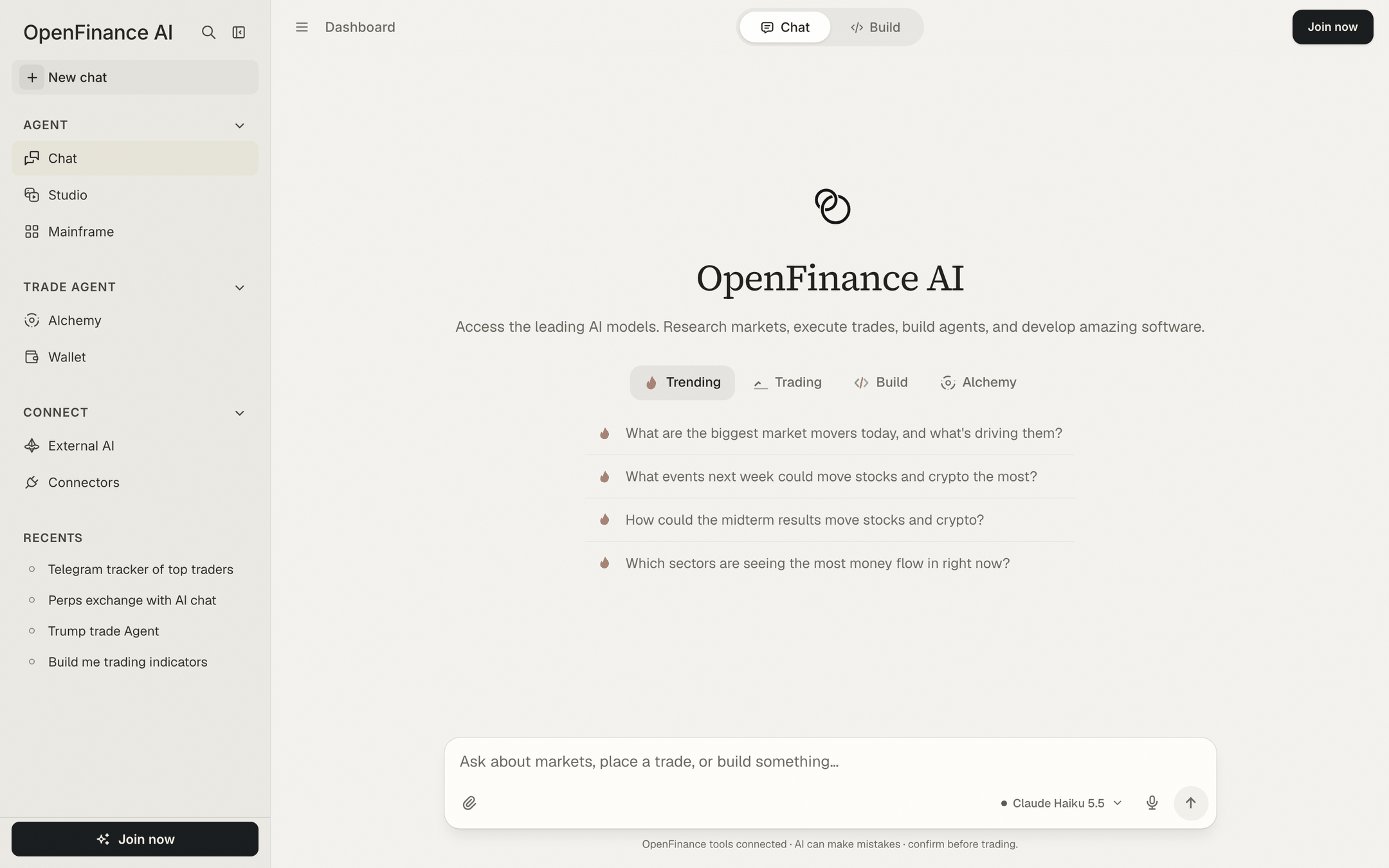
The OpenFinance app after sign-in: sidebar on the left, Chat in the middle
How the pieces fit
Every request follows the same path, whether it starts in the app or in an outside AI tool.- You ask. In Chat, in Alchemy, or from an outside AI tool connected through External AI.
- The agent works. It reads market data and prepares the action. AI replies are paid for with AI credits.
- You confirm. Anything that moves funds or places an order shows a confirmation step first.
- Your wallet signs. Trades settle on the venue itself, from the wallet or broker account that belongs to you.
What you get when you sign up
Signing up takes a minute and gives you three things straight away:- An account tied to your email address.
- An embedded wallet with an EVM address and a Solana address.
- One API key that starts with
open_, created for you automatically. It powers the in-app chat tools and outside AI tools alike.
Good to know
- OpenFinance is new, experimental software. On first sign-in you read and accept a disclaimer before you can continue.
- Your trades run directly on outside venues and protocols. OpenFinance does not control them.
- Treat your API key and wallet keys like passwords. Anyone who has them can act on your account.
Next
Quickstart
Go from zero to a first confirmed trade in the app.
Chat
Learn the two modes, starter prompts and confirmation cards.
Markets
See which markets and venues you can reach.
MCP server
Use OpenFinance from Claude, ChatGPT, Cursor and other tools.