

How it works
The page opens a live connection to Hyperliquid and adds each new order to the top of a table. It is a feed of the whole venue, not only of OpenFinance users, and you do not need an account to watch it. To keep the table readable, it shows large orders: after the first rows have filled in, only orders worth about $50,000 or more are added. The table keeps the most recent few hundred rows; older ones drop off the end. You can open it from the Live Transactions link at the top of the OpenFinance homepage, or directly at openfinance.tech/transactions.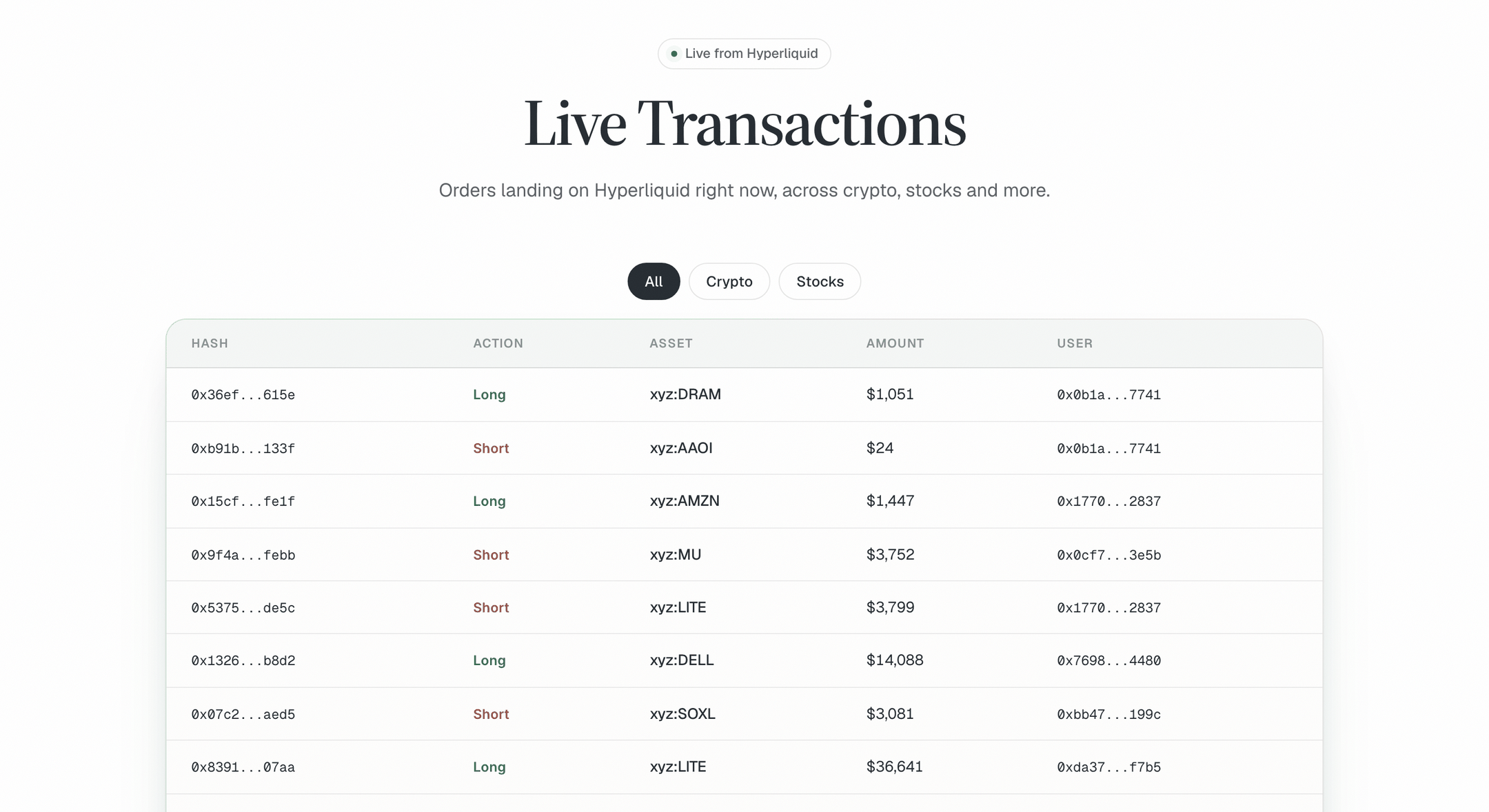
Live Transactions: a filter row, then one line per order
Read the table
Each row is one order.Use it
1
Pick a filter
All shows everything. Crypto shows crypto perps and spot. Stocks shows stock markets on Hyperliquid.
2
Set the page size
Use Rows per page to show 10, 20, 50 or 100 rows, and the arrows to page back through recent orders.
3
Dig into an order
Click a hash or a user to see the details on Hyperliquid’s explorer.
4
Take it to Chat
Copy an asset name or an address and ask the chat about it.
Example prompts
The table tells you what happened. Chat can tell you more about it:Limits
- Orders, not fills. A row means an order was placed. It may fill, partly fill or be cancelled.
- Large orders only. Smaller orders are left out once the table has warmed up.
- Recent only. The table is a live window, not a history. Reloading the page starts it again.
- Hyperliquid only. Other venues are not shown here.
A large order is not a signal by itself, and nothing on this page is financial advice. If you act on what you see, every trade you place through OpenFinance still needs your confirmation.
FAQ
The table is empty. Is it broken?
The table is empty. Is it broken?
Give it a few seconds. Rows appear as new orders arrive, and quiet moments happen. If it stays empty, reload the page.
Are these OpenFinance users' trades?
Are these OpenFinance users' trades?
Not specifically. The feed covers orders across Hyperliquid as a whole.
Can I see my own orders here?
Can I see my own orders here?
Only if they are large enough to appear. To see your own orders and positions, ask the chat or open Wallet.
Next
Chat
Ask about any market or address you spot.
Markets
What you can trade on Hyperliquid and elsewhere.
Alchemy
Turn a view on an event into trades.
Safety and custody
Who holds your funds and who confirms a trade.