

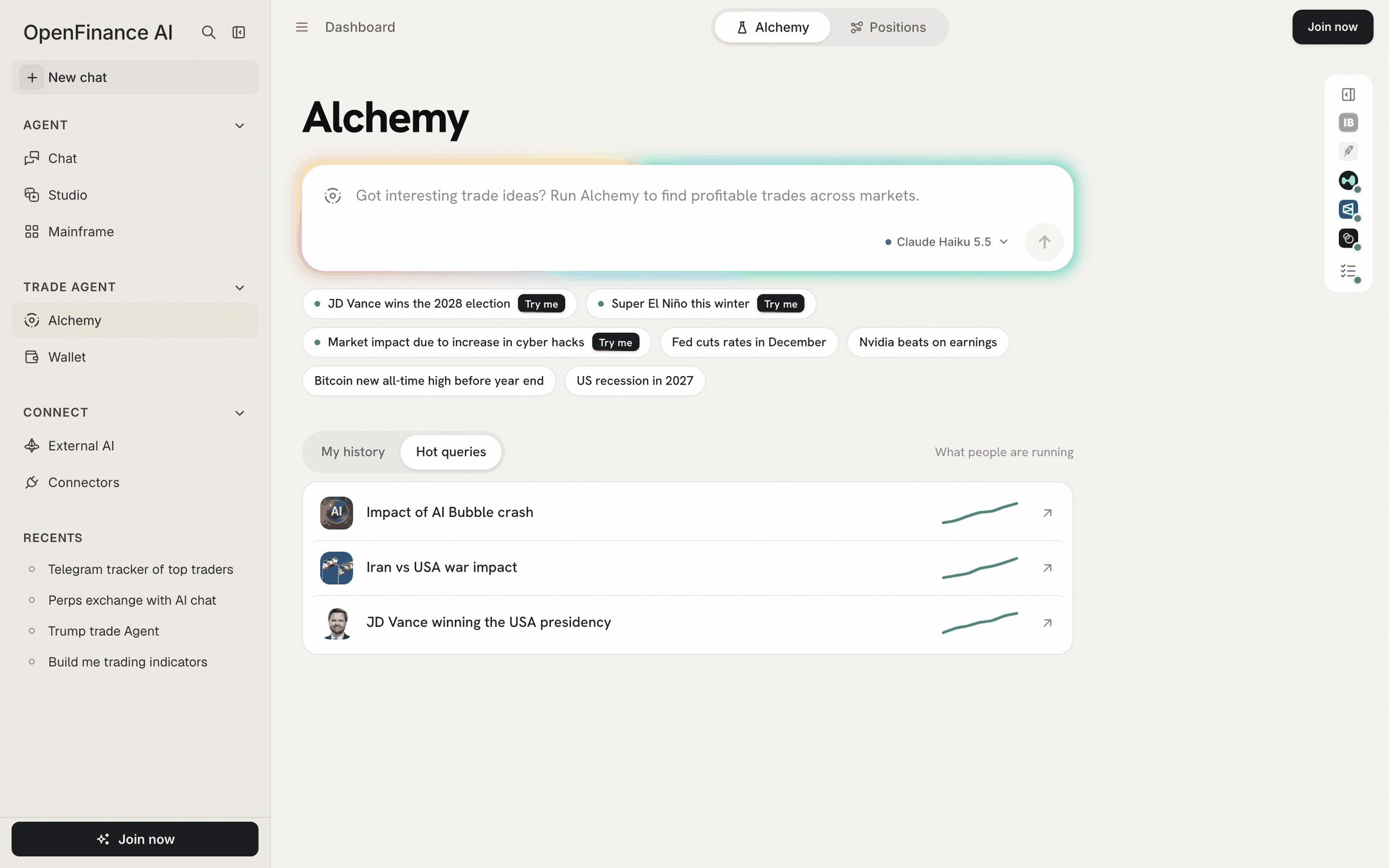
The Alchemy page: type an event, or open a sample from the chips or Hot queries
What it is
Alchemy is a page in the OpenFinance app, under Trade Agent in the sidebar, at openfinance.tech/alchemy. It has two tabs at the top: Alchemy, where you ask, and Positions, where you see your money and the trades you placed from here. One question gives you one result page. That page answers three things, in this order:- What the market thinks. The headline Polymarket question and its current odds.
- What Alchemy thinks. Alchemy’s own odds, the gap between the two, and its call in plain words.
- What you could trade. A basket of trades for the view you pick, sized to a budget, each with its own order ticket.
When to use it instead of Chat
Alchemy and Chat can both research and trade, but they start from different places.
The two are linked: Chat’s home screen has an Alchemy tab of starter questions. Picking one opens it here, because Alchemy is its own page and the chat agent does not run it.
How a run works
You type one event and press send. Alchemy then works through eight steps you can watch live, which fall into the stages below. In plain words: Alchemy reads your question, searches Polymarket for the markets that price it, works out which forces drive the outcome and which industries and companies they reach, then builds trades and its own pick. Prices and odds come from the venues at that moment. A live run can take 3 to 4 minutes, and it runs on an AI model that spends your AI credits.What it can do
- Find the Polymarket market that best matches your event, with its odds, volume, liquidity and resolution date.
- Give its own probability for the event and each scenario, next to the market’s.
- Build three views of the same event: Trade YES, Trade NO and Alchemy’s pick.
- Size a basket of trades to one budget and open an order ticket for each.
- Place orders on three venues after you confirm: Polymarket, Hyperliquid (crypto perps and stock, commodity, FX and index perps) and xStocks tokenized stocks on Solana.
- Show the chain of effects, other ways to trade each effect, and pricing gaps it found.
- Track what you placed from here on the Positions tab, with a Close button.
What it cannot do
- It does not trade for you. Every order needs your confirmation in its ticket, one trade at a time.
- It does not place take-profit or stop orders. The profit target and stop on each trade are planning numbers.
- It does not send orders to IBKR or Robinhood. Those routes appear for reference only.
- It does not refresh a finished result. Each result records when it was captured, and its basket prices stay from that moment; ask again for fresh numbers.
- It does not sync history across devices. Your past runs live in the browser you used.
Before you start
- Browsing is free and open. You can open Alchemy signed out and replay the sample runs marked Try me.
- Asking your own question needs an account. Sending one signed out asks you to sign in, because a run spends your AI credits. Sign up at openfinance.tech and buy a few credits first.
- Trading needs funds on the venue. See The order ticket for what to fund where.
In this tab
Your first run
Open a free sample and walk through a result screen by screen.
Reading a result
Every number on the result page, defined.
Deeper analysis
Ontology, Trade Exposure, Inefficiency Trades and strategy rules.
Basket and budget
Where Alchemy trades, the basket and how the budget is split.
The order ticket
Place one trade, fund the venue and confirm.
Positions
Balances, open positions, strategies and closing.
History, models and credits
Past runs, the model picker and what a run costs.
Writing good events
Phrase an event so Alchemy finds the right market.
Alchemy FAQ
Limits, risks and common questions.