

How the pieces fit
A driver variable is a force the event pushes, such as “AI company valuations” or “rate expectations”. Each driver reaches industries, each industry has companies, and each company can be traded through one or more routes: a perp on Hyperliquid, a tokenized stock, shares or options at a broker. Every section below is a different cut of that same map. When you switch to Trade NO, every effect flips to match.Alchemy Ontology
The Ontology shows what the event moves, three levels deep: driver, industry, company. It has two views, switched at the top of the card.- List is a table with four columns: Driver variables, Industries, Expected impact and Tradeable companies.
- Ontology draws the same thing as a tree, with a legend: Driver, Industry, and “Company · click to trade”.
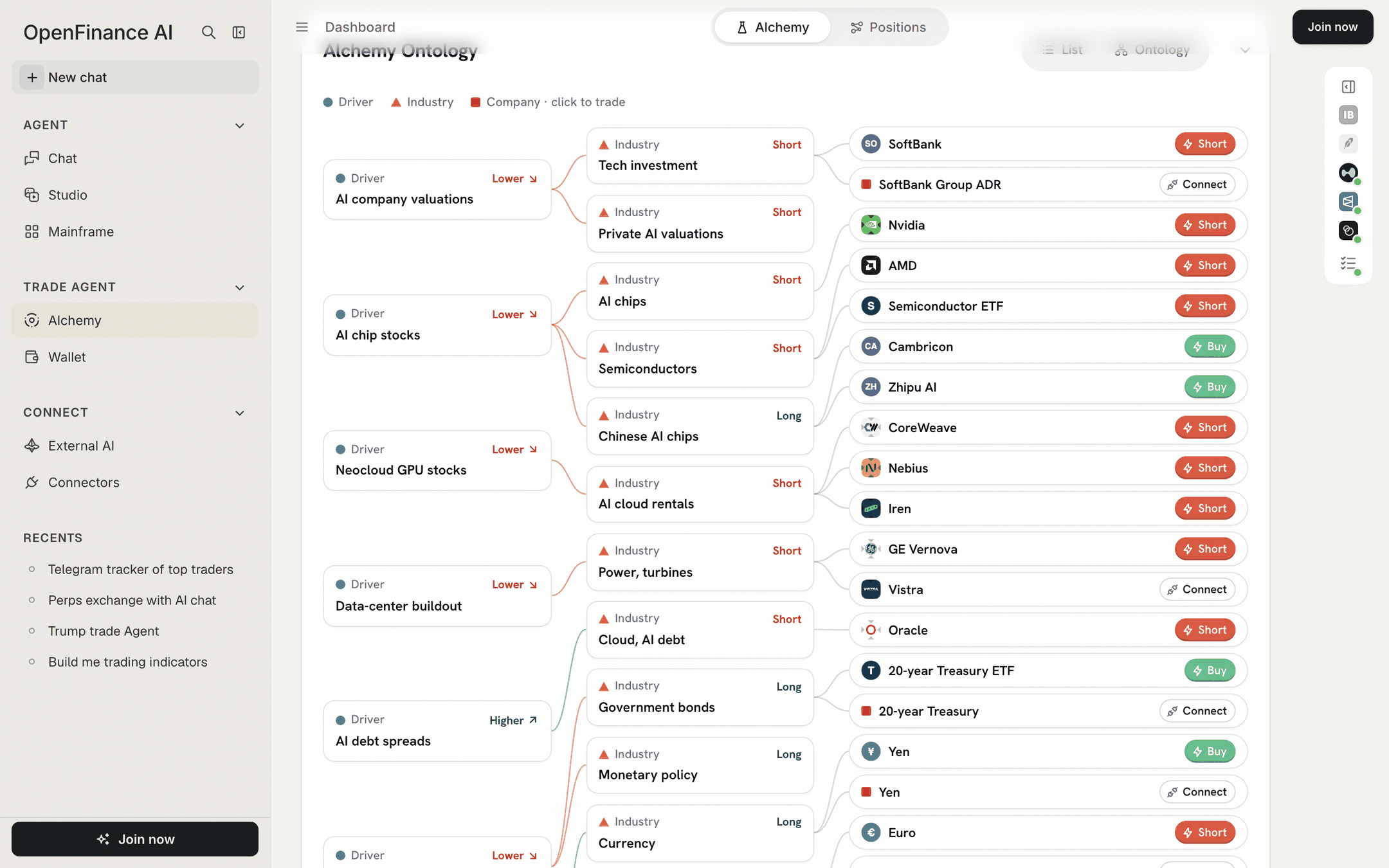
The Ontology tree: drivers on the left, industries in the middle, tradeable companies on the right
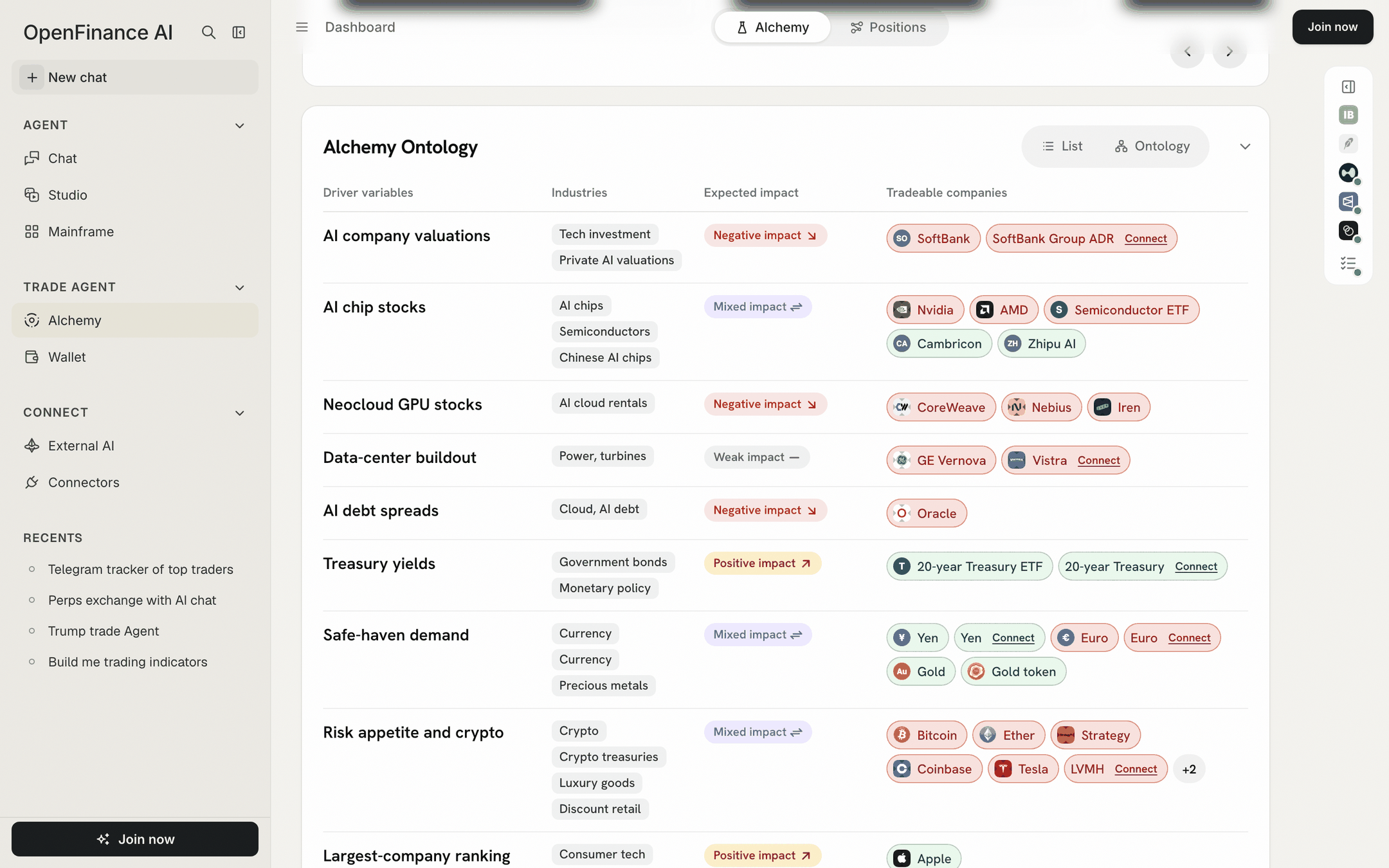
The Ontology as a table: drivers, industries, impact and tradeable companies
- Expected impact reads Positive impact, Negative impact, Mixed impact or Weak impact for the industries in that row.
- Click an Expected impact label, such as “Negative impact”, to open Why this impact: the outcome you are trading, which way it pushes the driver, and the mechanism for each industry.
- Click a company to open its order ticket. A company marked Connect has no route Alchemy can trade with your current switches. Its window offers Turn on Onchain Tokens, Connect Robinhood or Connect IBKR, or says “Preview only for now.”
- “Weak impact” marks a link Alchemy is less sure of.
Trade Exposure
Trade Exposure lists every effect as a card, with the ways to trade it beside it.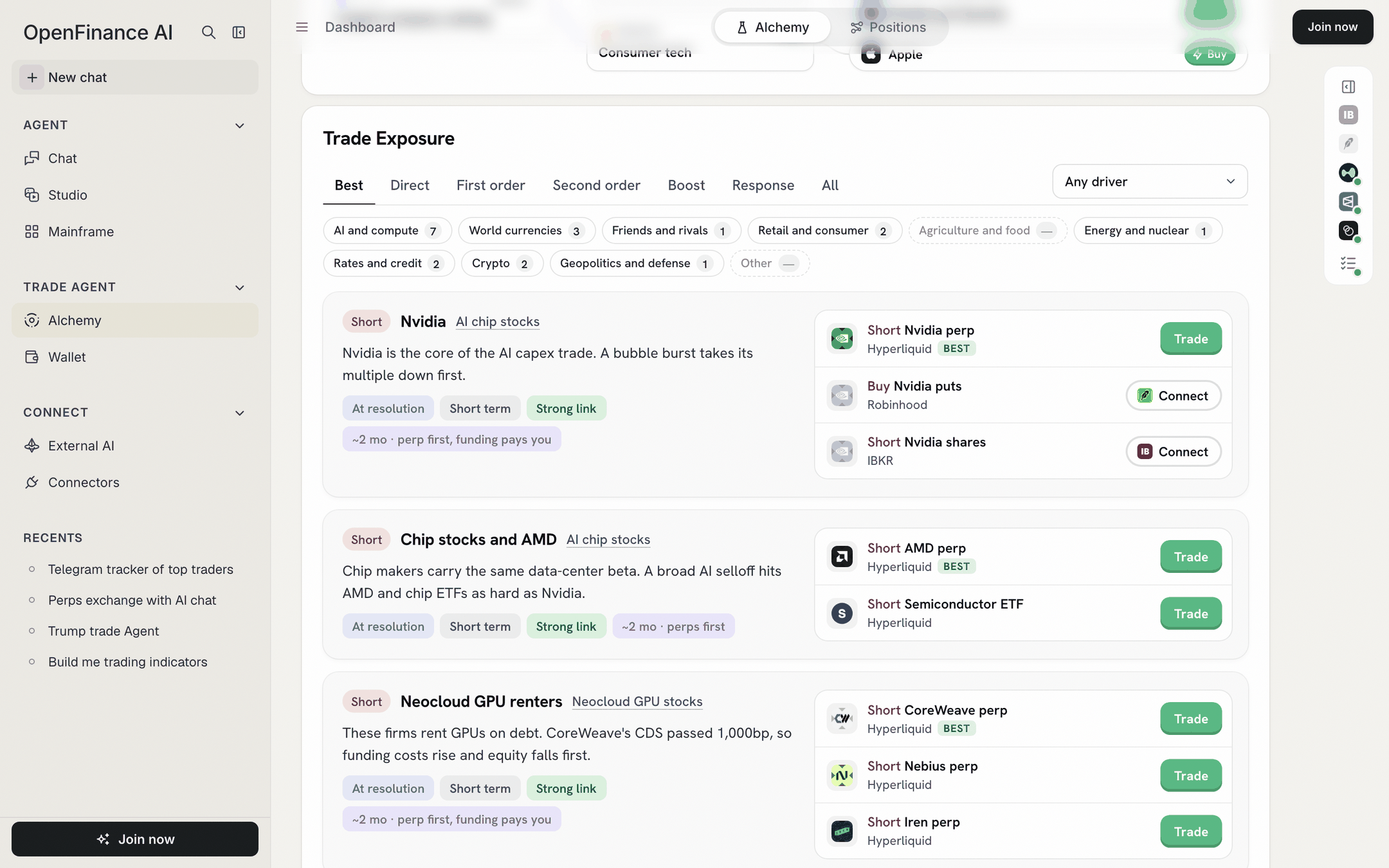
Trade Exposure: filter by order and world view, then trade a route
Filters
- Tabs sort effects by how directly the event causes them: Best (strong links only), Direct, First order, Second order, Boost, Response and All.
- Any driver narrows the list to one driver variable.
- World view chips group effects by theme, each with a count: AI and compute, World currencies, Friends and rivals, Retail and consumer, Agriculture and food, Energy and nuclear, Rates and credit, Crypto, Geopolitics and defense, and Other. A chip with a dash has no effect for this event.
Each exposure card
- Lean and title, for example “Short Nvidia”, with the driver it comes from.
- Mechanism: one or two sentences on why it moves.
- Pills for timing (Before it resolves, At resolution or After), horizon (Short term or Long term), confidence (Strong link, Moderate link or Link to check), Weak impact when it applies, and the holding period, such as “~2 mo · perp first, funding pays you”.
- Routes on the right, up to three at first, with “more ways to trade this” for the rest. The route marked Best is Alchemy’s preferred one.
Route buttons
Each route carries one of four buttons, which tell you whether Alchemy can place it.Alchemy Inefficiency Trades
This section looks for places where the prices themselves look off, using arithmetic on the run’s own data. It can find four kinds of opportunity: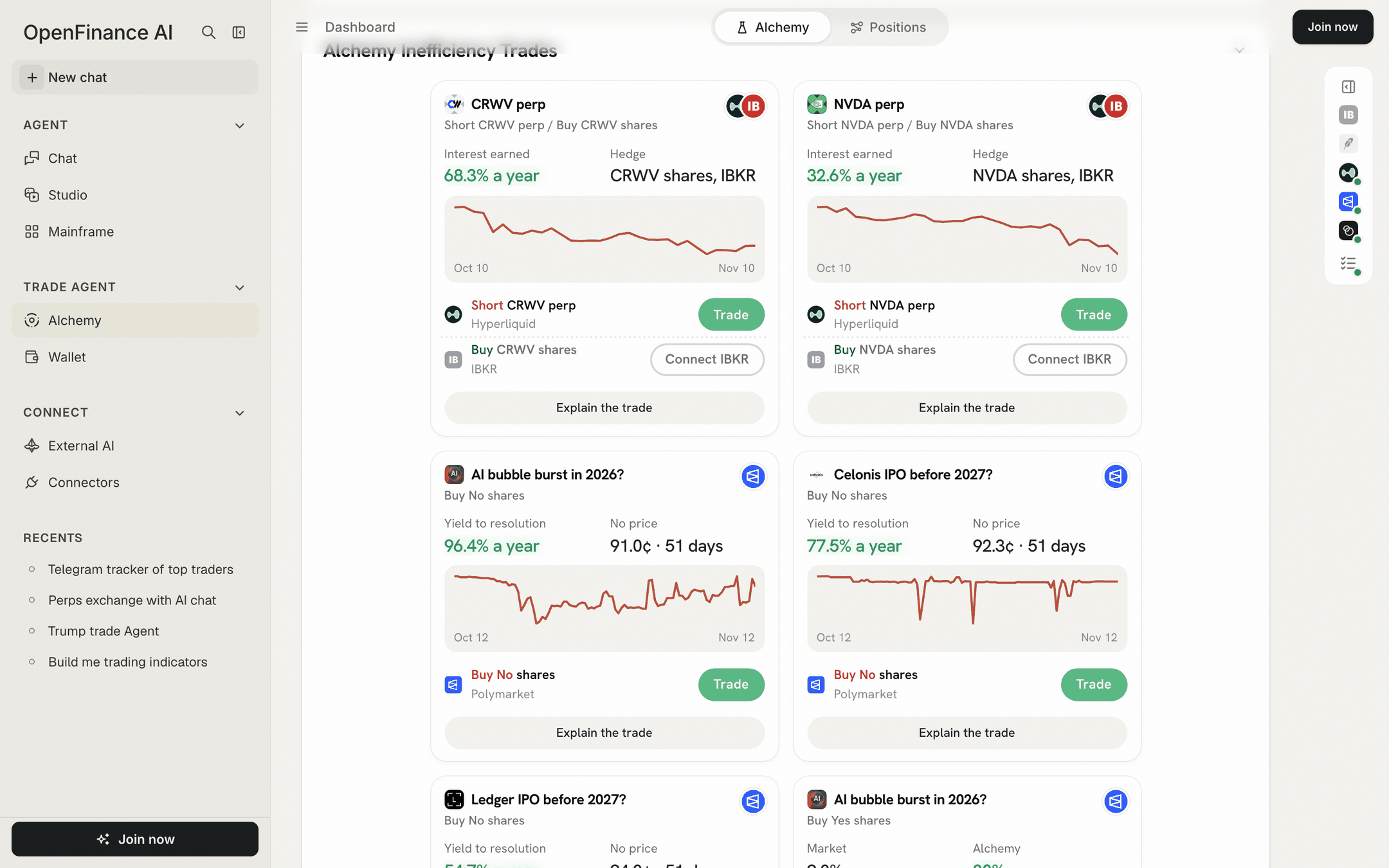
Inefficiency cards: each shows its legs, two figures, a chart and a button per leg
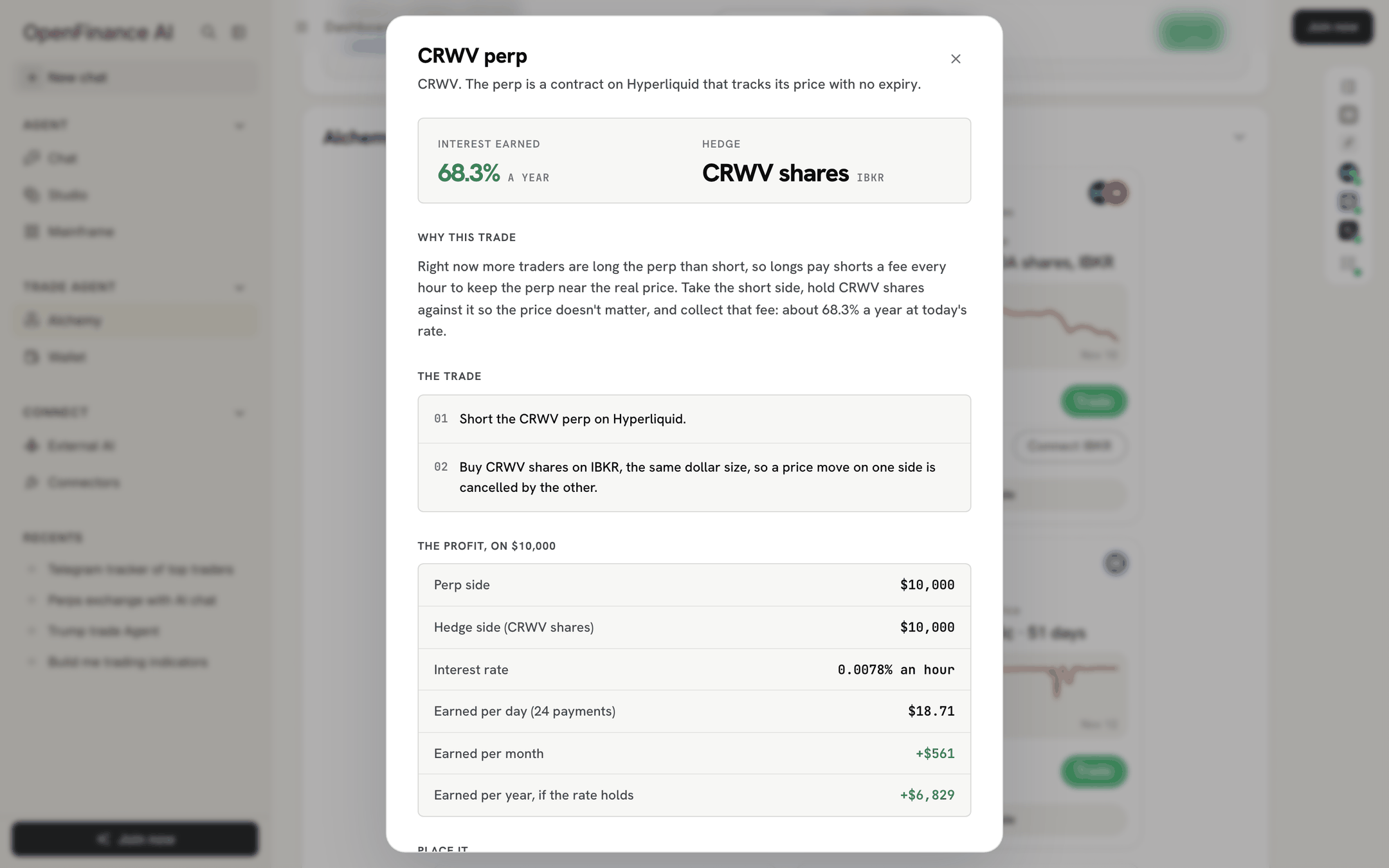
Explain the trade: the reasoning and the profit worked out line by line
All trades
All trades is folded by default. Open it to see every trade for the current view as full cards.- Under Alchemy’s pick it shows one group, Ranked by Alchemy, sized to your budget.
- Under Trade YES or Trade NO it groups trades by venue: Prediction markets (Polymarket), Stocks and Commodities, FX and indices (Hyperliquid HIP-3), and Crypto perps (Hyperliquid). An empty group says “Nothing worth trading here for this view.”
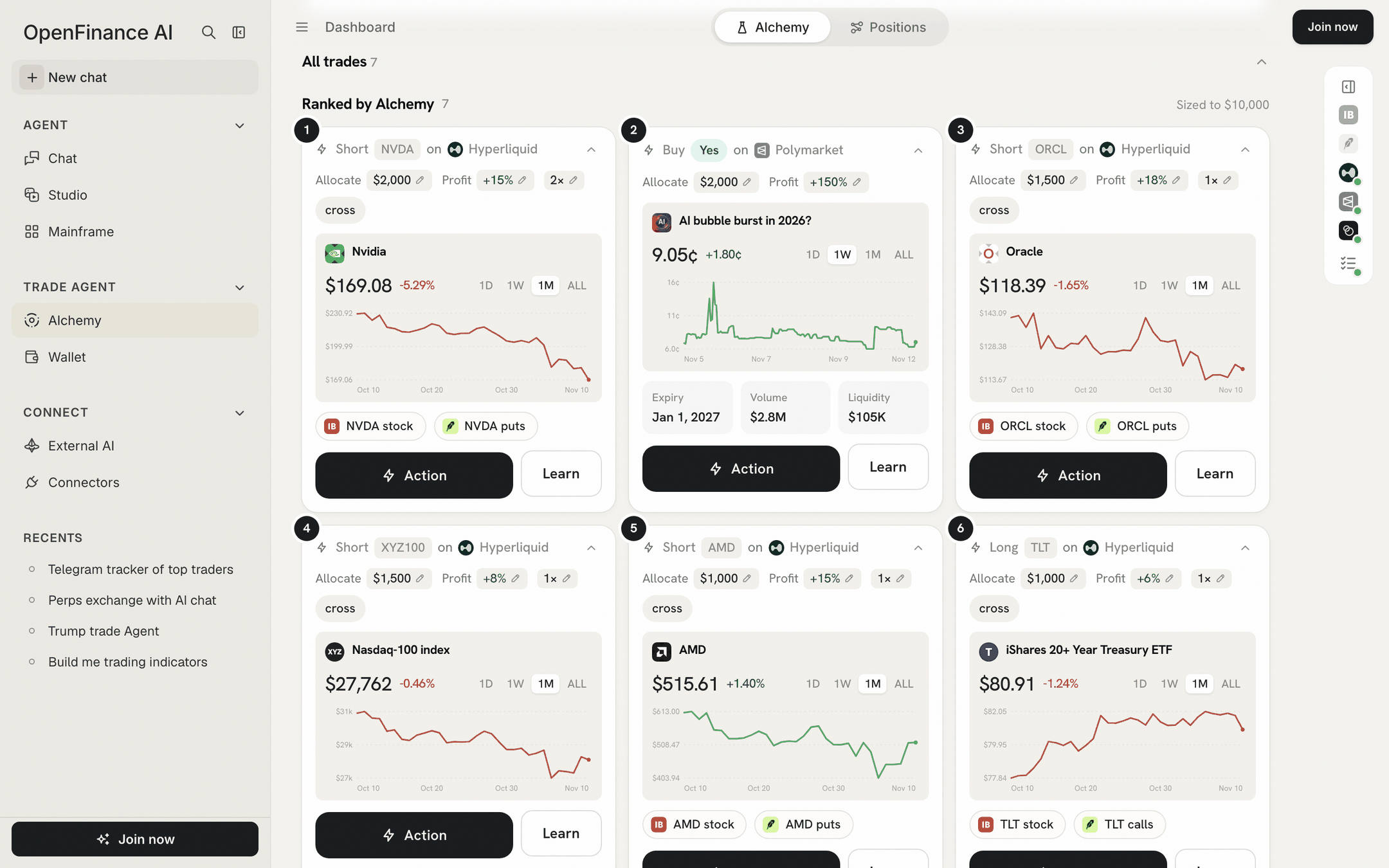
All trades under Alchemy's pick: every trade as a full card
Strategy rules
Under Alchemy’s pick only, Strategy rules can turn the basket into explicit conditions, such as “Nvidia price crosses below a level”.
Strategy rules sit at the bottom of the result, above the closing note
1
Draft rules
Click Draft rules. Alchemy writes up to eight rules from the basket. This makes another AI request and uses the same AI credits as a run.
2
Read the rules
Each rule lists its conditions, marked as AI proposals with a short reason, plus hold time, cooldown and how many times it may fire. Requirements Alchemy cannot check are listed under “Needs additional data”.
3
Check research snapshot
This tests the rules against the run’s saved values, not live prices or your account.
Strategy rules are a draft only. In the app’s words: “No monitoring or orders are started.” Nothing watches the market for you and nothing trades.
Next
The order ticket
Turn a route or basket row into an order.
Alchemy FAQ
Why routes are greyed out, and other questions.