

My history and Hot queries
Under the event box, a switch flips between two lists.
Once you have history, the page opens on My history. Until then it opens on Hot queries. Signed out, My history says “Sign in to see the questions you’ve asked.”
Using My history
- Open a run by clicking its row. The saved result opens instantly and costs nothing.
- Search appears once you have more than eight runs: type in “Search N questions”.
- Show all lists every run when there are more than eight.
- Delete a run with the bin icon, then click Delete? to confirm.
- One row per question. Asking the same question again replaces the older run.
Hot queries
Clicking a Hot queries row runs it as if you typed it. Impact of AI Bubble crash opens a saved sample for free; the others start a live run, which asks you to sign in and spends credits.Recents in the sidebar
Your Alchemy runs also appear in the sidebar’s Recents, mixed with your chats. Use the filter there and pick Alchemy to see only runs. A run that is still working shows there straight away, and clicking it takes you back to it.Where history lives
Alchemy runs are not stored on your account. They live in the browser you ran them in, per signed-in user.- The newest runs are kept for quick access; older ones move to a larger archive in the same browser.
- Another browser or device does not see them.
- Clearing site data deletes them.
- If the browser dropped a saved result, opening its row asks the question again, which is a new paid run.
Choosing a model
The model picker sits next to the send button and shows the current model, Claude Haiku 5.5 by default. Click it to open a short list under Flagship models.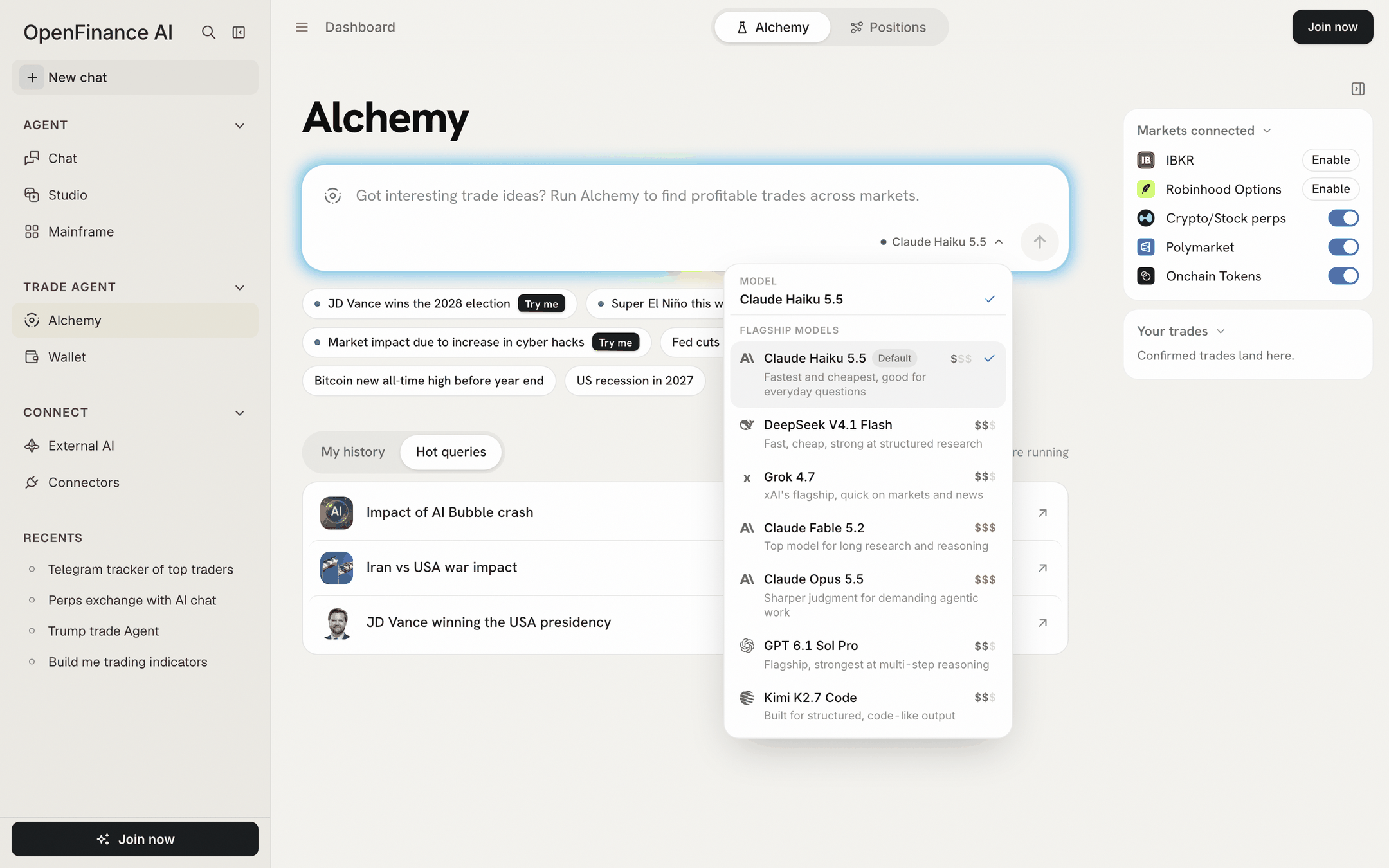
The Alchemy model picker: one flat list with a price tier and a note per model
Hover the tier to see the exact output price. The list changes as models are updated, so check the picker for what is offered today.
How the choice behaves:
- Your pick is remembered in this browser for future runs.
- You cannot change model while a run is working.
- The result names the model that wrote it in its last line.
- If a model you picked is retired, Alchemy moves you to its successor or the default.
Which model to pick
- Start with the default. It is the fastest and cheapest, and fine for most events.
- Try a higher tier for tangled questions with many moving parts, such as a geopolitical event that touches energy, currencies and defense.
- Compare. Running the same event on two models is a quick way to see how much the call depends on the model. Remember that each run replaces the last one in My history.
AI credits
A live Alchemy run uses your AI credits, the same balance that pays for Chat, Build and Studio. A stronger model costs more per run. See Models and AI credits for where to see and top up your balance. What costs credits and what does not:
If a run fails because your balance is empty, the error shows Add credits, which opens the top-up window. Any other failure shows Run again.
Next
Writing good events
Get more from each paid run.
Models and AI credits
The credit balance across the app.