

The order of the page
A result reads in the order you would decide:- Summary card. What the market prices, and what Alchemy thinks.
- Alchemy take. The call in plain words, and the three views.
- Basket trades. The trades for the view you picked. See Basket and budget.
- Alchemy Ontology, Trade Exposure and Alchemy Inefficiency Trades. The reasoning and other ways to trade it.
- All trades. Everything for the view, folded.
- Strategy rules. Only under Alchemy’s pick.
The summary card
The first card answers the first two questions: what the market thinks, and whether Alchemy agrees.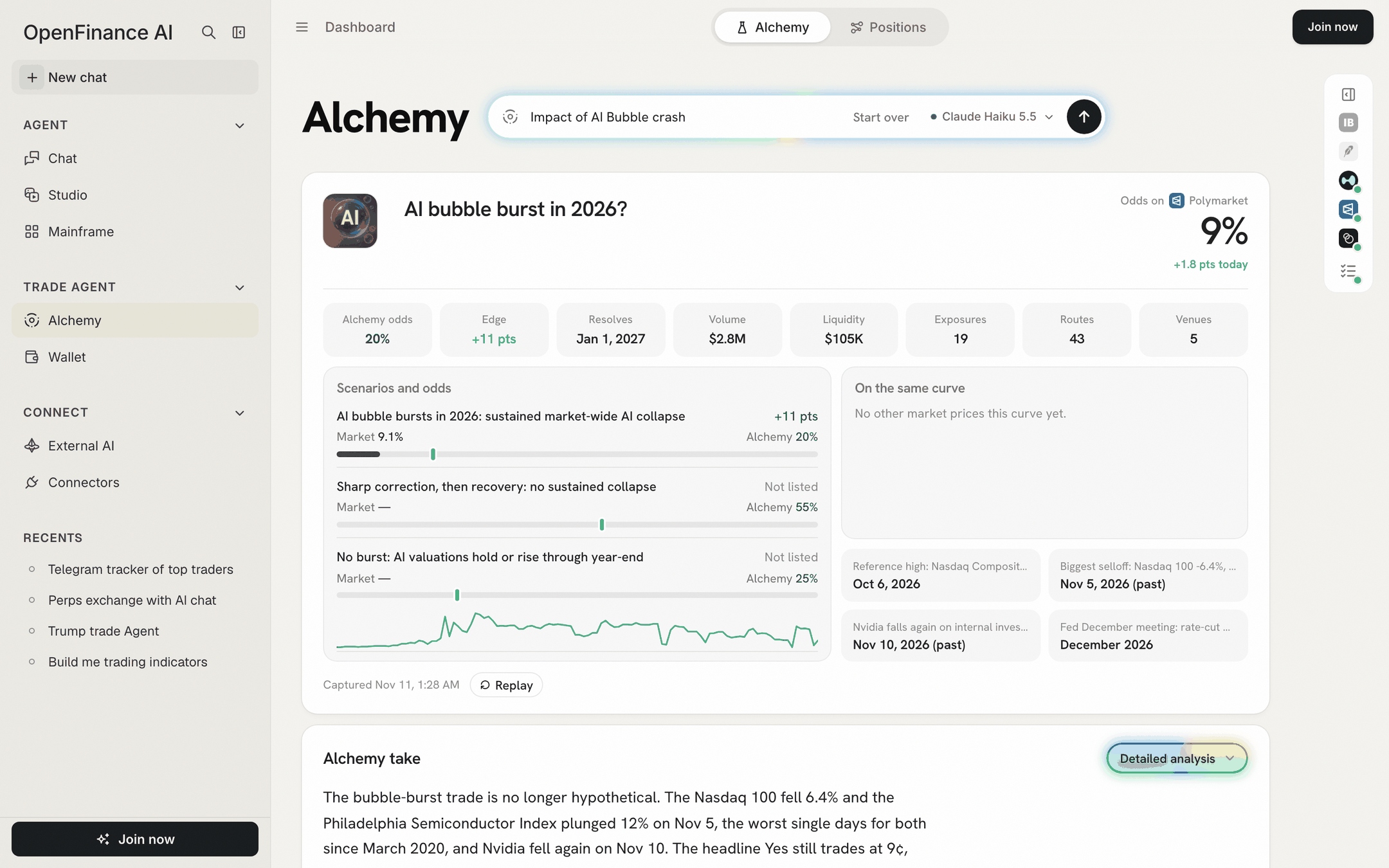
The summary card: headline question and odds, eight tiles, scenarios, related markets and key dates
The headline question and its odds
At the top sits the Polymarket question Alchemy chose as the best match for your event, with its picture. On the right, Odds on Polymarket shows the market’s chance of Yes, and a line such as “+1.8 pts today” when the odds moved today. If no market prices your event, the title is Alchemy’s own wording, the odds read “Current odds” with a dash and “no market prices this yet”. The trades then rely on related markets and instruments.Market odds vs Alchemy odds
Two numbers matter most, and they mean different things:- The market’s odds are the price of a Yes share on Polymarket. A Yes share at 9¢ means traders, as a group, price a 9% chance.
- Alchemy odds are the AI model’s own estimate that the event happens. It is an opinion, not a price, and nobody trades at it.
The eight tiles
The same eight tiles appear on every result, in the same order. A tile shows a dash when its number is not known. Hover a tile to see its definition in the app.
The eight tiles, always in this order
Scenarios and odds
The ladder on the left breaks the event into outcomes. Each row shows:- Market: the Polymarket odds for that outcome, or a dash and “Not listed” when no market prices it.
- Alchemy: Alchemy’s odds for the same outcome.
- The edge in points, in green when Alchemy is higher and red when lower.
- A bar: the filled part is the market’s odds; the marker is Alchemy’s.
On the same curve and key dates
- On the same curve lists up to four other markets on the same question, such as the same event by a different date, with their odds. When there is no headline market the panel is called Related markets. The lightning button on a row opens an order ticket to buy Yes on that market.
- Key dates shows up to four dates that matter for the event, such as a scheduled meeting or a past sell-off.
Captured and Replay
The bottom of the card says when the result was captured, for example “Captured Nov 11, 1:28 AM”, and how long a live run took. Odds, tiles and the prices on the basket cards are frozen at that moment; only the card charts load live. A saved sample also shows Replay, which plays the steps again.The Alchemy take
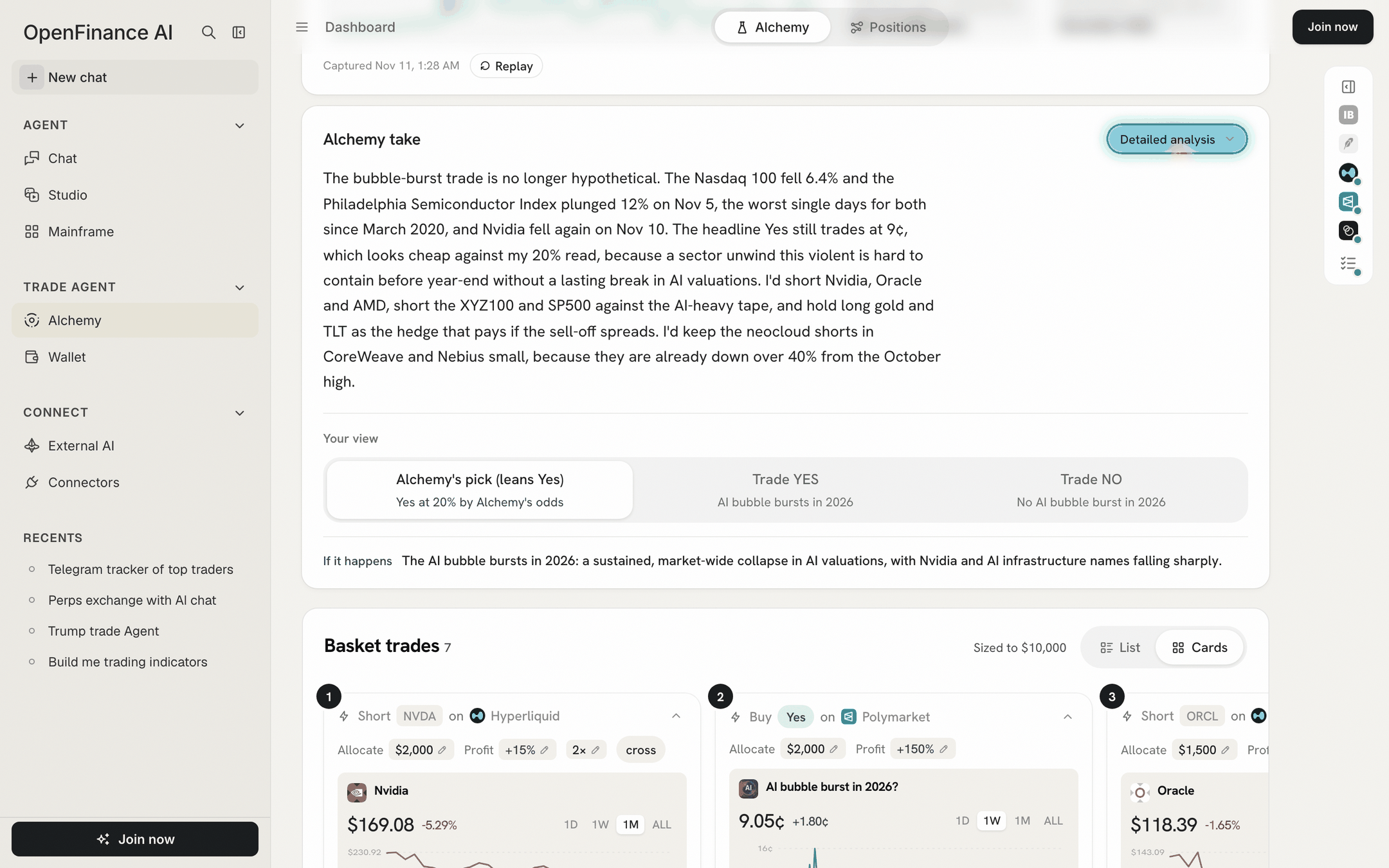
The Alchemy take, the three view tabs, and the start of the basket
- A short summary of the event.
- Where it stands today and What is priced in.
- A table per venue with three columns: Instrument, Lean (for example Buy Yes or Short) and Channel, the way the event moves that instrument.
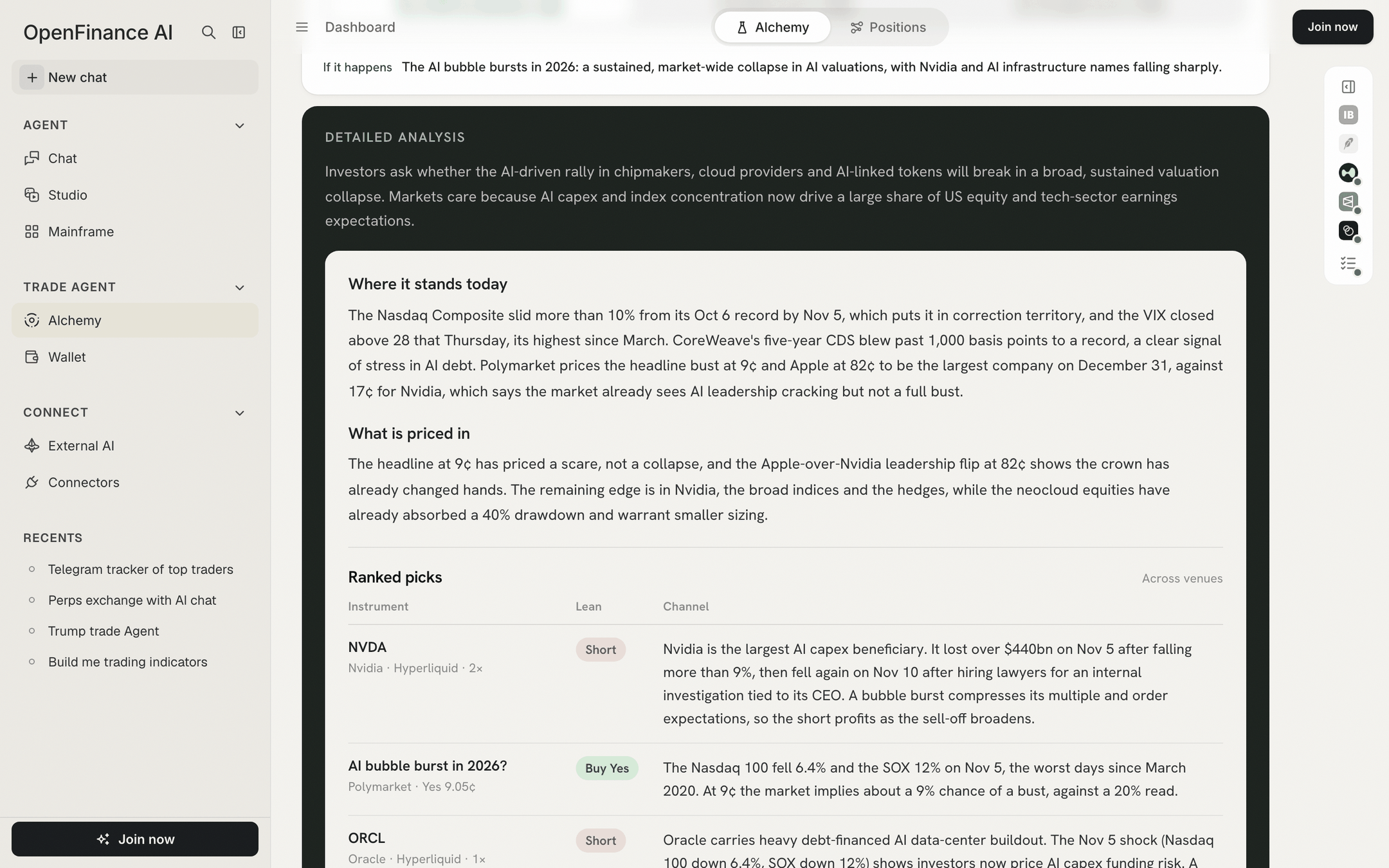
Detailed analysis: the summary, what is priced in, and the reasoning per trade
The three views
Under Your view you pick how to read the event. The view drives everything below it: the basket, All trades, and the direction of the effects in the Ontology.
The view tabs: the pick says which way it leans and at what odds
How to read a result well
- Start with the edge. If Alchemy and the market agree, there is little to trade on the event itself.
- Check Resolves. A trade tied to an event a year away ties up money for a year, and perps pay or earn funding all that time.
- Check Liquidity before sizing. A thin market can move when you buy.
- Check Captured. A result from last week may no longer match the market, and its tickets start from the old prices. Ask again for fresh numbers.
- Open Learn on a trade before you place it. See Basket and budget.
Next
Deeper analysis
Ontology, Trade Exposure and Inefficiency Trades.
Basket and budget
Size the trades for your view.