

How it works
OpenFinance does not hold an options account for you. The connection works like this:- You connect your broker on the Connectors page and approve access on the broker’s own sign-in page.
- The chat in the OpenFinance app can then use the broker’s tools on your behalf.
- Orders are placed in your broker account, under your broker’s rules and margin requirements.
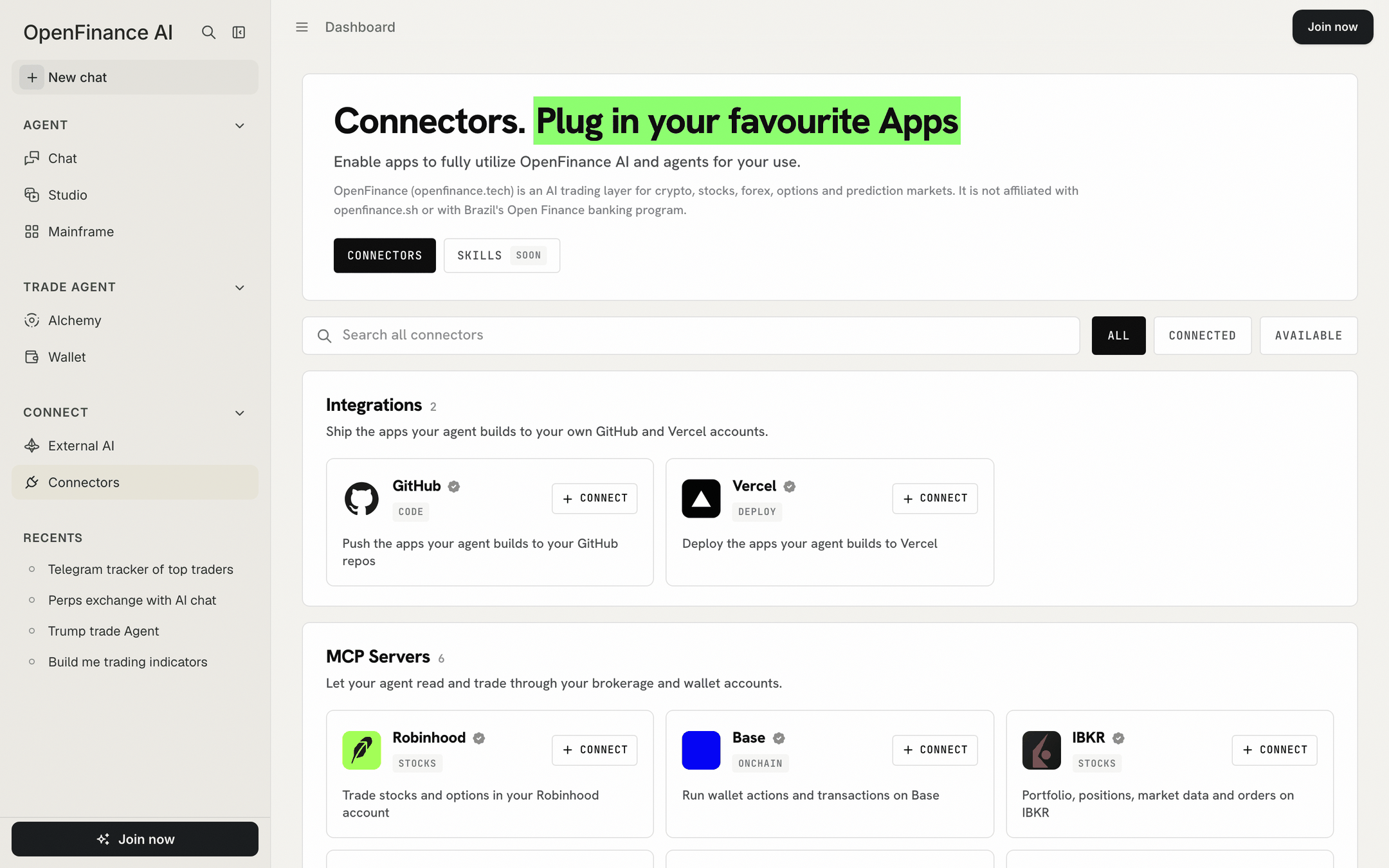
Broker connectors in the OpenFinance app
What is and is not possible
In short, options work through your broker from the app chat, and nowhere else in OpenFinance.Before you trade
- You need an account with the broker, approved for options by that broker.
- The broker’s eligibility rules, identity checks and trading permissions apply. OpenFinance does not change them.
- Funding happens at the broker, not in your OpenFinance wallet.
What the chat can do with a broker depends on the tools that broker exposes and on the broker approving the connection. If a broker sign-in does not complete, see Connectors.
Ask in the app
After connecting a broker:- “Show my positions and buying power in my broker account.”
- “Show the option chain for NVDA expiring next month.”
- “What would a covered call on my AAPL shares look like? Do not place anything.”
- “Buy 1 SPY call at the strike and expiry I picked. Show the order first.”
FAQ
Why can my own AI agent not trade options through OpenFinance?
Why can my own AI agent not trade options through OpenFinance?
Broker connections live in the OpenFinance app. The MCP server covers Hyperliquid, Polymarket, onchain tokens, bridging, onramp and token launches.
I want leveraged exposure to a stock without a broker
I want leveraged exposure to a stock without a broker
Look at stock perps on Hyperliquid. A perp is a different product from an option: it has no strike or expiry, and it can be liquidated.
Next
Connectors
Connect IBKR or Robinhood in the app.
Markets overview
Everything else you can trade.