

What it is
- A market asks a question with outcomes, most often Yes and No. An event groups related markets.
- A price is a probability between 0 and 1. A share at 0.42 costs 42 cents and implies about a 42% chance.
- Polymarket runs an order book. You can post a limit order and wait, or take the price on offer right now.
Before you trade
Polymarket does not trade from your main wallet address. It trades from a Polymarket deposit wallet, a separate smart-contract wallet that belongs to your account.1
Find your Polymarket deposit address
Ask “what is my Polymarket deposit address?”, or open the Deposit box in the app and choose the Polymarket tab.
2
Fund it with pUSD
Polymarket settles in pUSD on Polygon. Send only pUSD on Polygon to the deposit address. If your funds are in another token or on another chain, ask the agent to move them for you; see Bridge and swap.
3
Check the balance
Ask “what is my Polymarket balance?”. The agent reports what is ready to trade.
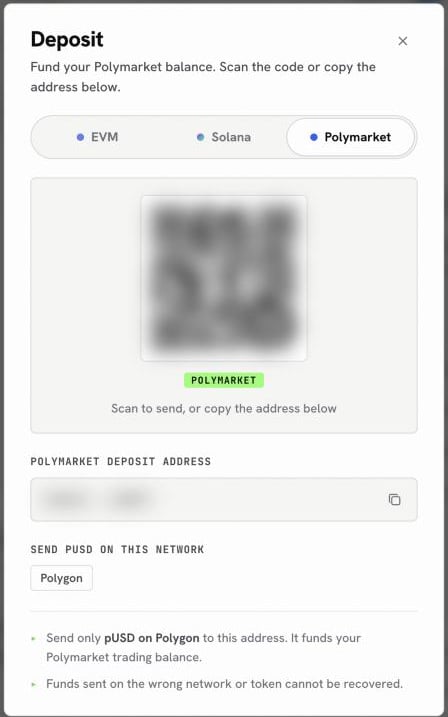
The Deposit box on its Polymarket tab shows the address that funds your Polymarket balance
- Winnings from some markets arrive as USDC.e instead of pUSD. USDC.e cannot be traded or withdrawn directly. Ask the agent to convert it; the conversion is 1 to 1.
- Polymarket rejects very small orders. Keep an order at about one dollar of value or more.
- Polymarket features are not available where Polymarket itself is not available. Check Polymarket’s rules for where you live.
Ask in the app
Once the deposit wallet is funded, try prompts like these in the chat:- “What are the odds on Polymarket for the next Fed rate decision? Show the order book.”
- “Who are the top 10 Polymarket traders in sports this month?”
- “Buy 20 dollars of Yes at no more than 42 cents on that market. Show the order first.”
- “What are my open Polymarket positions and my profit and loss?”
- “Cancel all my open orders on this market.”
- “Redeem all my resolved positions, then tell me my balance.”
Orders you can place
You describe the order in plain words. The table shows what to ask for in each case.
For a market buy you say how much to spend. For a market sell you say how many shares to sell.
Winnings and cashing out
When a market you hold resolves, getting the money out takes up to three steps.- Redeem. After a market resolves, ask to redeem that market, or redeem everything at once. Redeeming does not cost you gas.
- Convert if needed. If the payout arrived as USDC.e, ask to convert it to pUSD.
- Withdraw. Ask to withdraw to a chain and token you name. The withdrawal goes through Polymarket’s bridge to one of your own wallets.
From your own agent
From your own agent, use thepolymarket tool and pick an action: search and get_events to find markets, get_orderbooks and get_prices for odds, get_deposit_wallet for the funding address and balance, place_order or place_market_order to trade, redeem_all, wrap_collateral and withdraw_and_bridge to cash out. See Polymarket tool.
FAQ
Why is my order rejected for balance when I have pUSD?
Why is my order rejected for balance when I have pUSD?
The pUSD is probably on your main wallet address, not in the Polymarket deposit wallet. Ask for your Polymarket balance; the agent shows where the pUSD sits and can move it.
Why was my order rejected for tick size?
Why was my order rejected for tick size?
Each market has a minimum price step. Ask the agent to read the market’s tick size and round your price to it.
Can I withdraw straight to someone else's address?
Can I withdraw straight to someone else's address?
Not from an agent. Withdrawals from Polymarket go to your own wallets. To send funds to another person, use the Wallet page.
Can I follow a successful trader?
Can I follow a successful trader?
You can read any trader’s positions, closed positions, trades and results, and the leaderboard by category and time period. Copying their trades is your own decision; each order still needs your confirmation.
Next
Polymarket tool
Actions and request shapes for agents.
Hyperliquid outcomes
Outcome markets on Hyperliquid.