

Deposit funds
Send crypto to your wallet, then on to the venue you want to trade.
Buy AI credits
Top up the balance that pays for chat, Alchemy and the inference API.
Where your money goes
Each venue takes one token on one network. Pick the row that matches what you want to do, and the page next to it walks you through it.Both start in the same place
Click Deposit in the top bar of the app. The panel that opens shows your AI credits with a Buy credits button, and your wallet total with Deposit and Withdraw. Everything on this section of the docs starts from one of those buttons.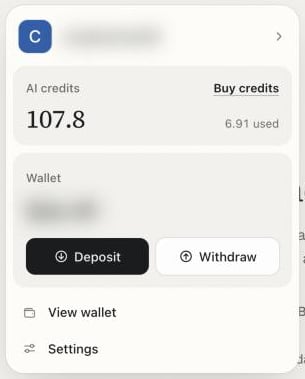
The account panel: AI credits at the top, your wallet below
Next
Deposit funds
How the Deposit sheet works.
Buy with crypto
Add AI credits in under a minute.
Safety and custody
Who holds your money once it arrives.