

Which address for which chain
Pick the chain the asset trades on, then send to the matching tab of the Deposit sheet.
The EVM tab lists every network your EVM address accepts: Ethereum, Polygon, Base, Arbitrum, Optimism, Hyperliquid and Robinhood Chain.
Deposit
1
Open the Deposit sheet
Click Deposit in the top bar, then Deposit under your wallet total.
2
Choose EVM or Solana
Pick the tab for the chain you are sending on.
3
Send the token and some gas
From your exchange or wallet, send the token you will pay with on that network, and a small amount of the gas token if you do not hold any there yet.
4
Check it arrived
Ask “What do I hold on Base?” or “What is in my Solana wallet?”. Ask about one chain at a time; the agent reads chains one by one.
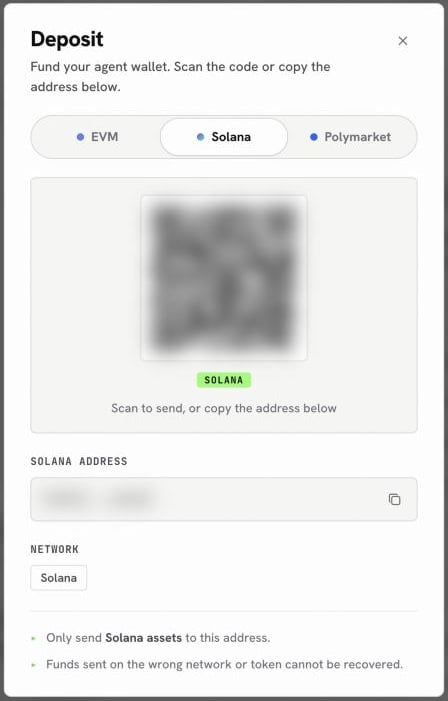
The Solana tab of the Deposit sheet
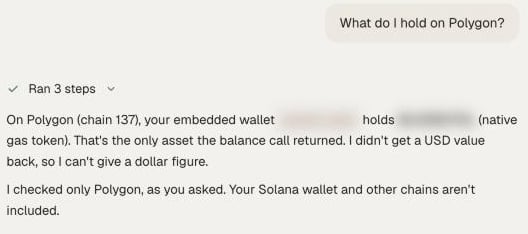
Checking what arrived on one chain
Already funded on another chain?
You do not need a new deposit to move between chains. Ask the agent to bridge or swap across, and it shows a quote first:Next
Onchain tokens
Search, check and swap tokens.
Find, check and swap a memecoin
A careful first memecoin trade.
Tokenized stocks and FX
Stocks and currencies as tokens.