

xyz:NVDA. A stock perp gives price exposure only, with leverage, funding and liquidation risk; you never hold a share or a token. If you want to hold a token instead, see Tokenized stocks and FX tokens.
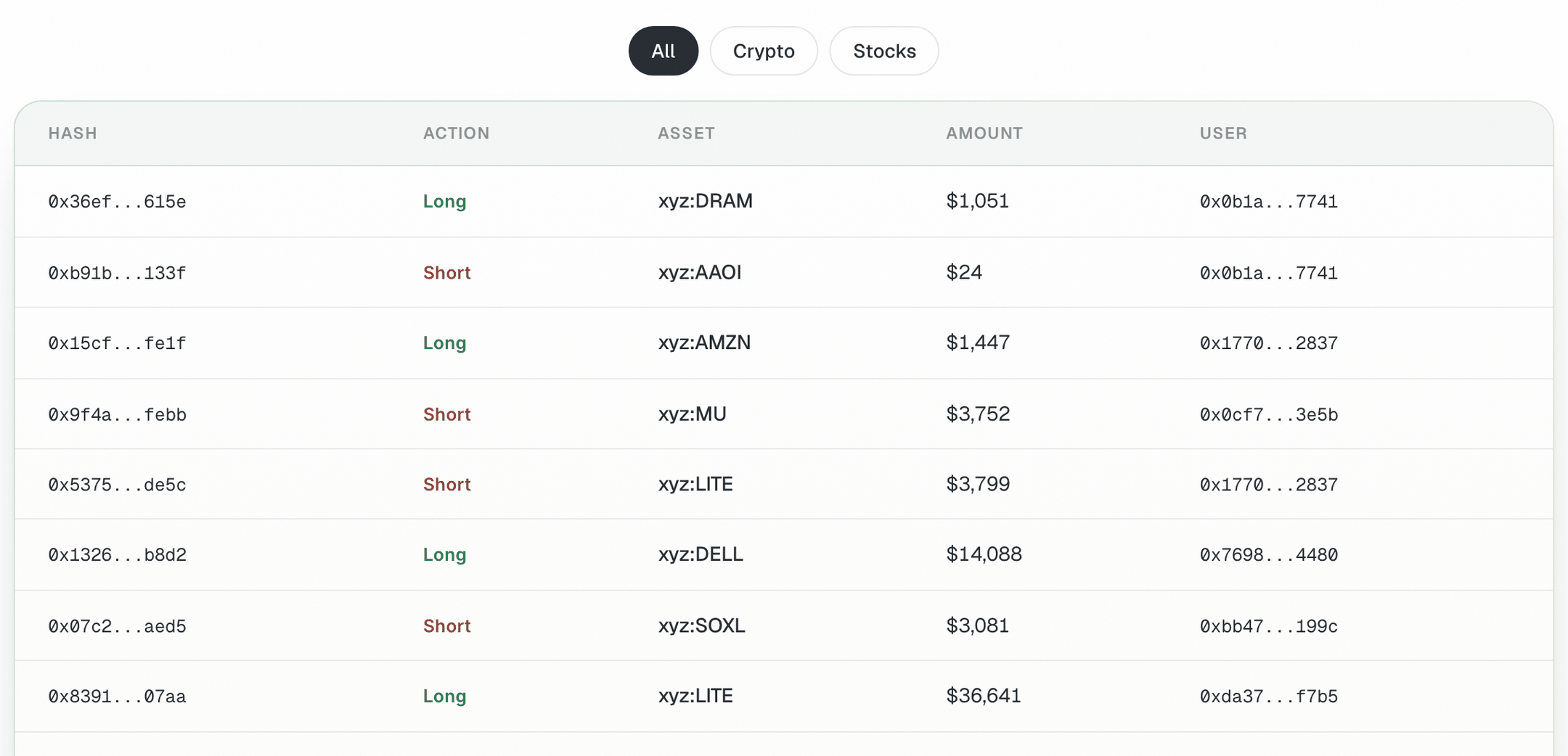
Live Transactions shows HIP-3 orders landing on Hyperliquid, with the deployer prefix on each asset
What you need
- USDC in your Hyperliquid account. See Fund each venue.
- The ticker you are interested in, and a plan for size, leverage and the stop.
Steps
1
List the markets in a category
2
Check the one you want
The same ticker can be listed by more than one deployer. Ask about the exact symbol:Low open interest and volume mean a thin book and more slippage. Most HIP-3 markets use USDC as collateral; a few use USDH, and the agent tells you if yours does.
3
Get USDH only if the market needs it (moves money)
4
Preview the order with a stop
5
Place it (moves money)
Reply yes if the summary matches. Then verify:One account summary covers the main dex and every HIP-3 dex, so the position shows with the rest.
6
Close when you are done (moves money)
Example prompts for FX and commodities
The same steps work beyond stocks. Start with prompts like these:Check it worked
- The position appears under the right dex prefix with the size you approved.
- The stop-loss is resting as a reduce-only trigger order.
Common mistakes
- Mixing up deployers.
xyz:NVDAand another prefix’s NVDA are different markets with different books and terms. Always name the full symbol. - Expecting a share. A perp has no shareholder rights, dividends or delivery.
- “Insufficient collateral” on a USDH market. The error names the asset the market needs. Swap USDC to USDH on Hyperliquid spot, then retry.
- Using the readable symbol in your own code. Orders need the numeric asset index from the market metadata. See the Hyperliquid tool.
- Sizing from the headline price. Check the mid price on Hyperliquid, which can differ from the stock’s last close.
Next guides
Perp with take-profit and stop-loss
Exits in depth.
Live Transactions
Watch large orders as they land.