

Two ways to authenticate
The right choice depends mostly on your client.
Use OAuth when your client supports it, because no long-lived secret has to be pasted anywhere. Use the API key when you are writing code or when a client only accepts headers.
OAuth sign-in
1
Add the URL
Add
https://api.openfinance.tech/agent/mcp to your client with no header.2
Sign in
The first time the client uses the server, it opens an OpenFinance page. Sign in. If you are new, signing in creates your account.
3
Approve the connection
A consent page names the client that is asking. Approve it, then confirm a second time. The second screen reminds you that the client will be able to place orders and move funds from your wallet.
WWW-Authenticate header on the first 401, registers itself dynamically, and uses PKCE.
API key
Your account has one API key. It starts withopen_.
1
Open External AI
Sign in at openfinance.tech and open External AI in the sidebar.
2
Copy the key
Under Connect OpenFinance to your AI you see the MCP server URL and your API key, each with a copy button.
3
Send it as a header
Add
x-api-key: open_... to every request, or to your client’s MCP config.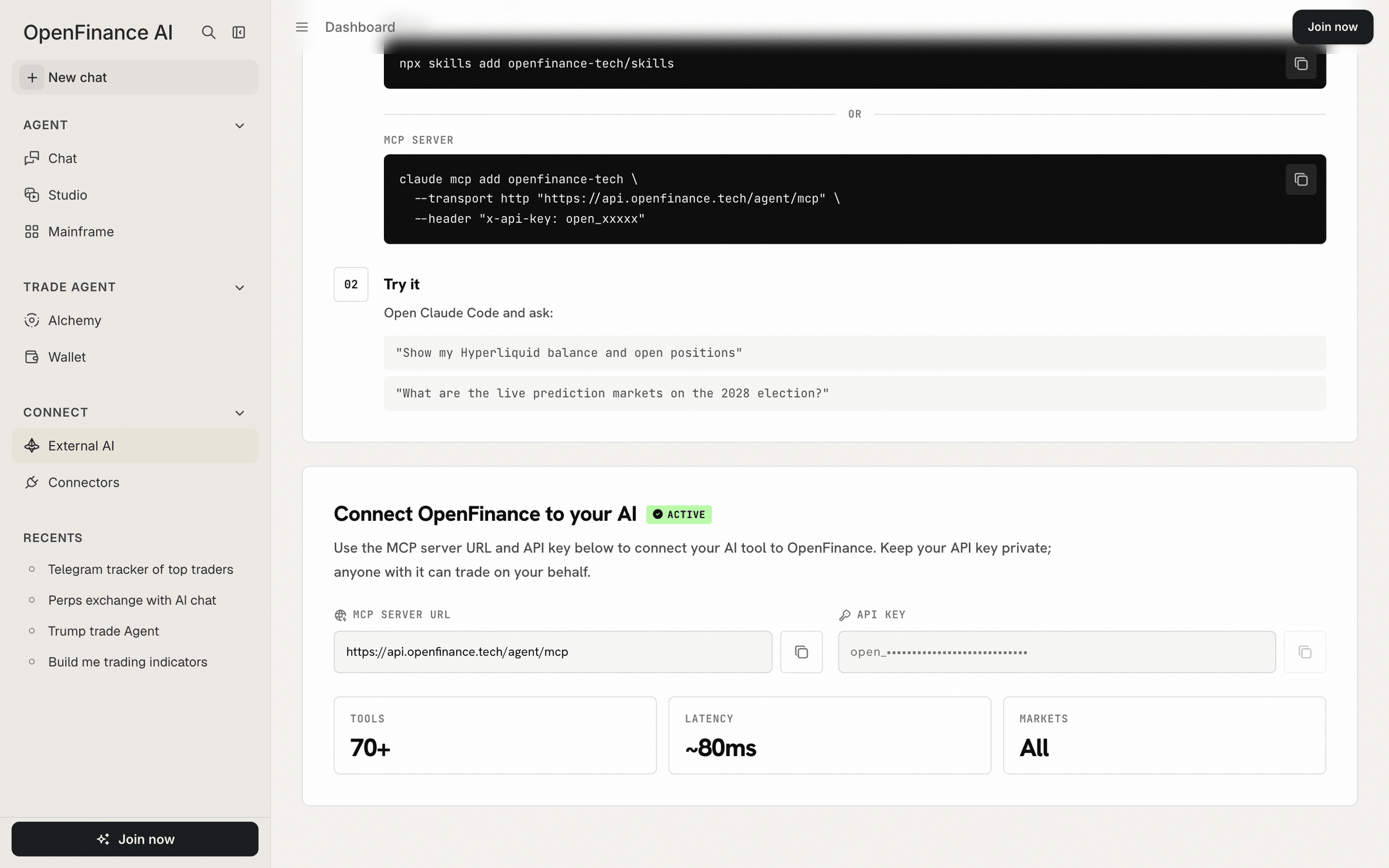
The External AI page shows the MCP server URL and your API key
What happens without credentials
When a call is not authenticated, the response tells you what went wrong and how to fix it.
A
401 applies to every tool, read-only ones included. If a guide elsewhere says market data works without a key, it is out of date.
Tips
- One key covers every tool and the inference API. You do not need a key per venue.
- Check that the key and wallet work with one call to
get_wallet_addresses. See Verifying the connection. - Do not put the key into the model’s context. Send it in headers only.
- Prefer environment variable expansion in config files, for example
${OPENFINANCE_API_KEY}, where your client supports it.
FAQ
Can I use both OAuth and a key?
Can I use both OAuth and a key?
Use one per client. A client that sends the
x-api-key header does not need the sign-in page.Does an API key limit what an agent can do?
Does an API key limit what an agent can do?
No. A key acts as your account. Control comes from confirmations: the agent is instructed to ask before every write, and your client can ask for tool approval. See Safety and custody.
The sign-in page says there is no API key on my account
The sign-in page says there is no API key on my account
Open openfinance.tech once while signed in so the key is created, then retry.
Next
MCP overview
Endpoint, flow and tool families.
API keys
Getting started with your key.