

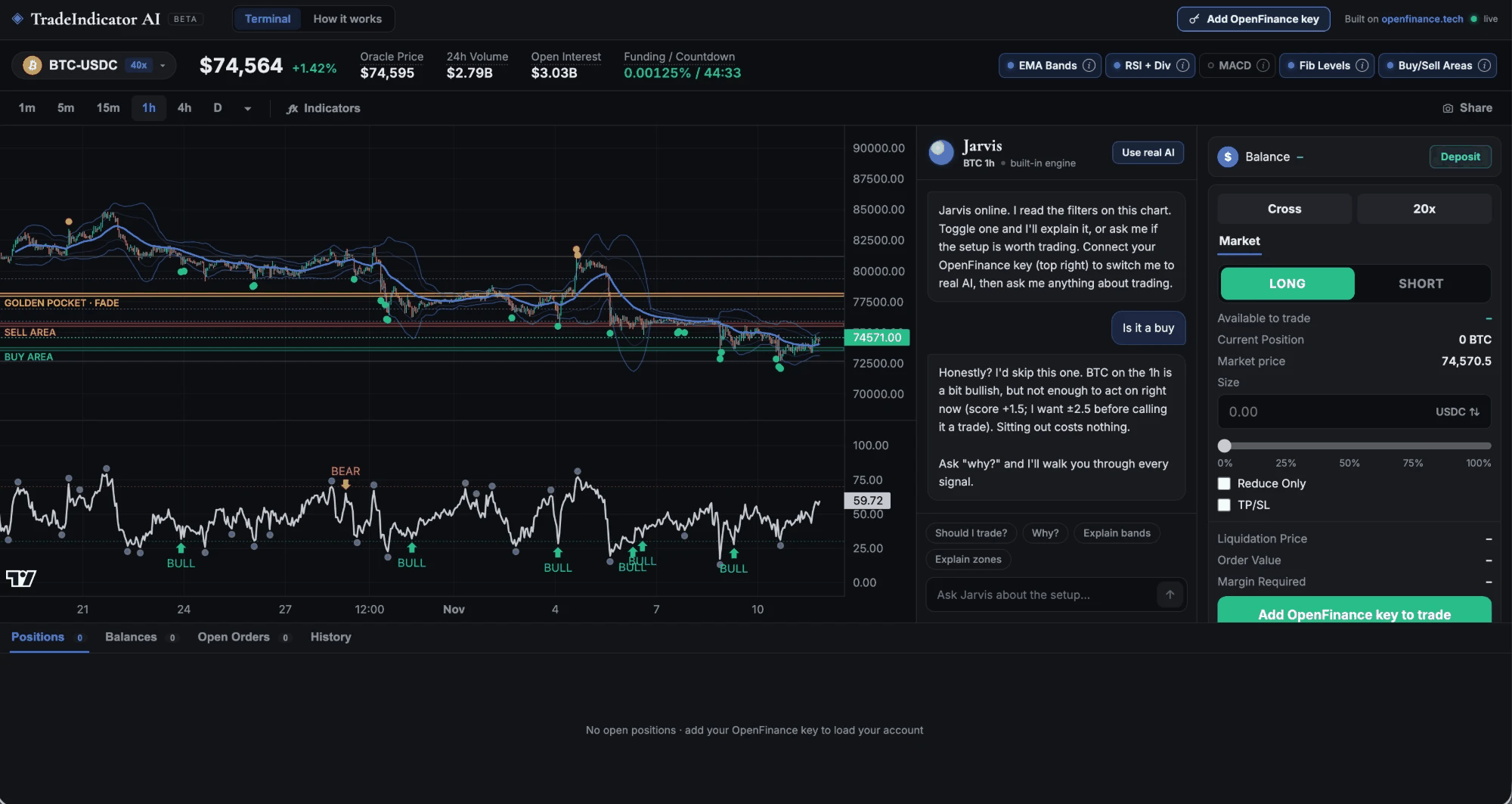
The captured demo: chart with indicators, Jarvis in the middle, the trade ticket on the right
Who it is for
It suits traders who want their own charting terminal with a second opinion built in, and a ticket that trades Hyperliquid perps from their OpenFinance account.What it does
- Every Hyperliquid perp. Crypto plus the stock, index, commodity and FX markets, with a searchable market picker grouped by category.
- Five indicators, each with an on/off pill and an explainer: EMA Bands, RSI with divergences, MACD, Fib levels, and Buy/Sell areas with the golden pocket. A Key levels block sums them up.
- Jarvis. Reads the chart with a free built-in engine, no key needed. With your key it can run models such as Claude, GPT, Gemini and Grok on the live chart, paid from your OpenFinance AI credits.
- Trade ticket. Market orders, long or short, cross or isolated, a leverage slider, size in USDC or coins, Reduce Only and optional TP/SL, with estimated liquidation, order value and margin.
- Account panel. Positions with Close, balances, open orders with Cancel, and fill history.
- Share saves or copies a picture of the chart, and a How it works tab explains every part.
What it needs
Market data comes straight from Hyperliquid’s public API, no key needed.
Deploy it
1
Check the demo
Open the card’s demo and read the prompt in Mainframe.
2
Deploy
Click Deploy. Build mode builds the app and runs its acceptance checks.
3
Ship and add your key
Deploy to Vercel, open your copy, and add your key with the button at the top right.
Ideas to customize
Once your copy runs, ask for changes in the same chat. For example:Limits
- Market orders only, filled at most 1% past the live price. A price move of more than 1% after you confirm cancels the send.
- The app’s server can reach only a short list of OpenFinance routes. Withdrawals and transfers are not on it.
- On the first balance read, if your Hyperliquid account is not in unified mode and holds funds, the app switches it to unified mode once and tells you.
- Jarvis cannot see your account or place orders, has no live news, and can be wrong.